This article is for Classic Textiful accounts. On a current account, see the help center.
Selecting your broadcast message audience
Send a broadcast to an entire text list or filter it to a segment with conditions.
You can send a broadcast text message to an entire texting list or only a segment of it. Apply the conditions of your choice to filter your list.
Filter your recipients
-
Click Broadcast Message in the left menu.
-
Click the Send a Broadcast Message tab below Broadcast Message.
-
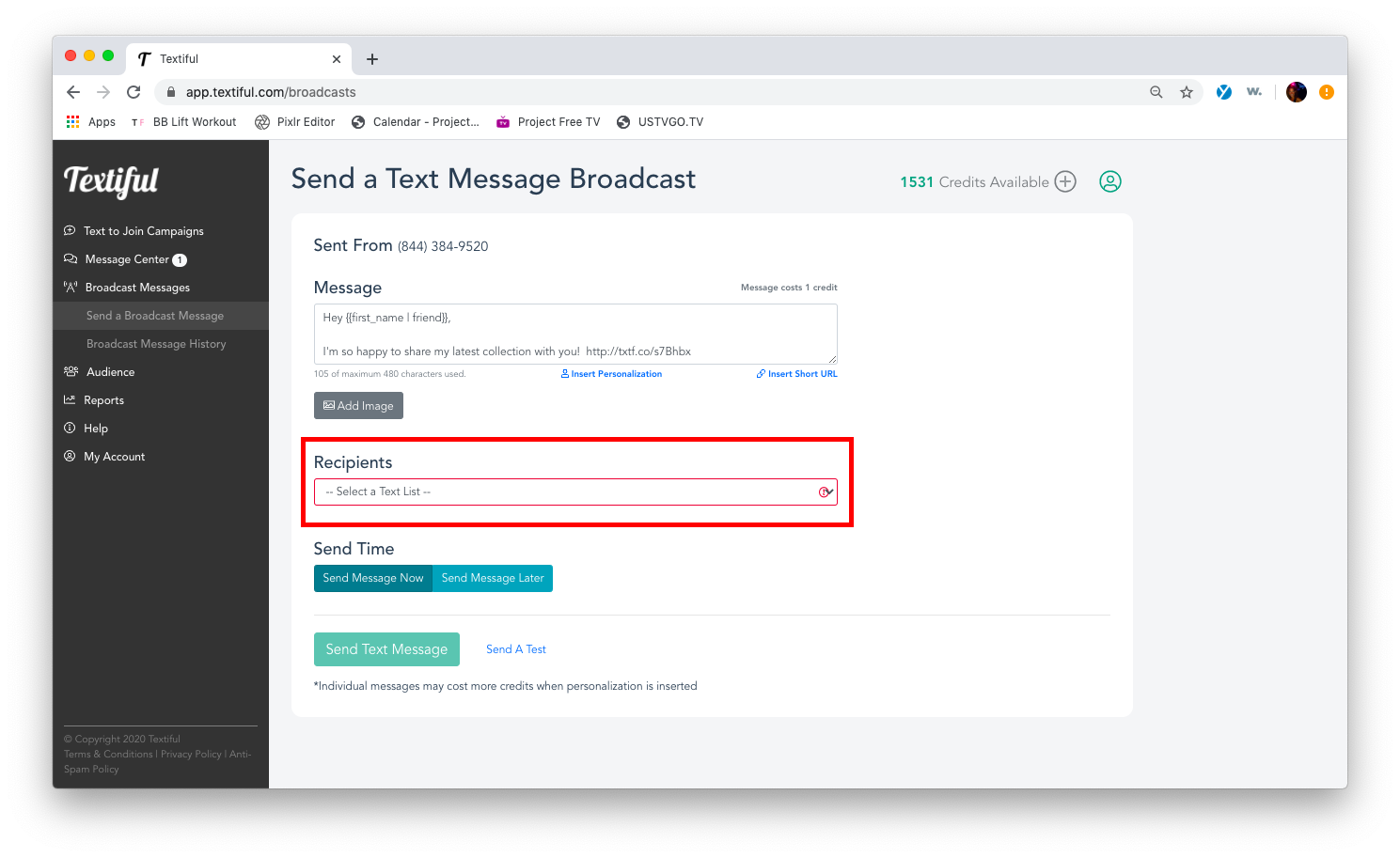
Create your message and click the Recipients field to select your text list.
-
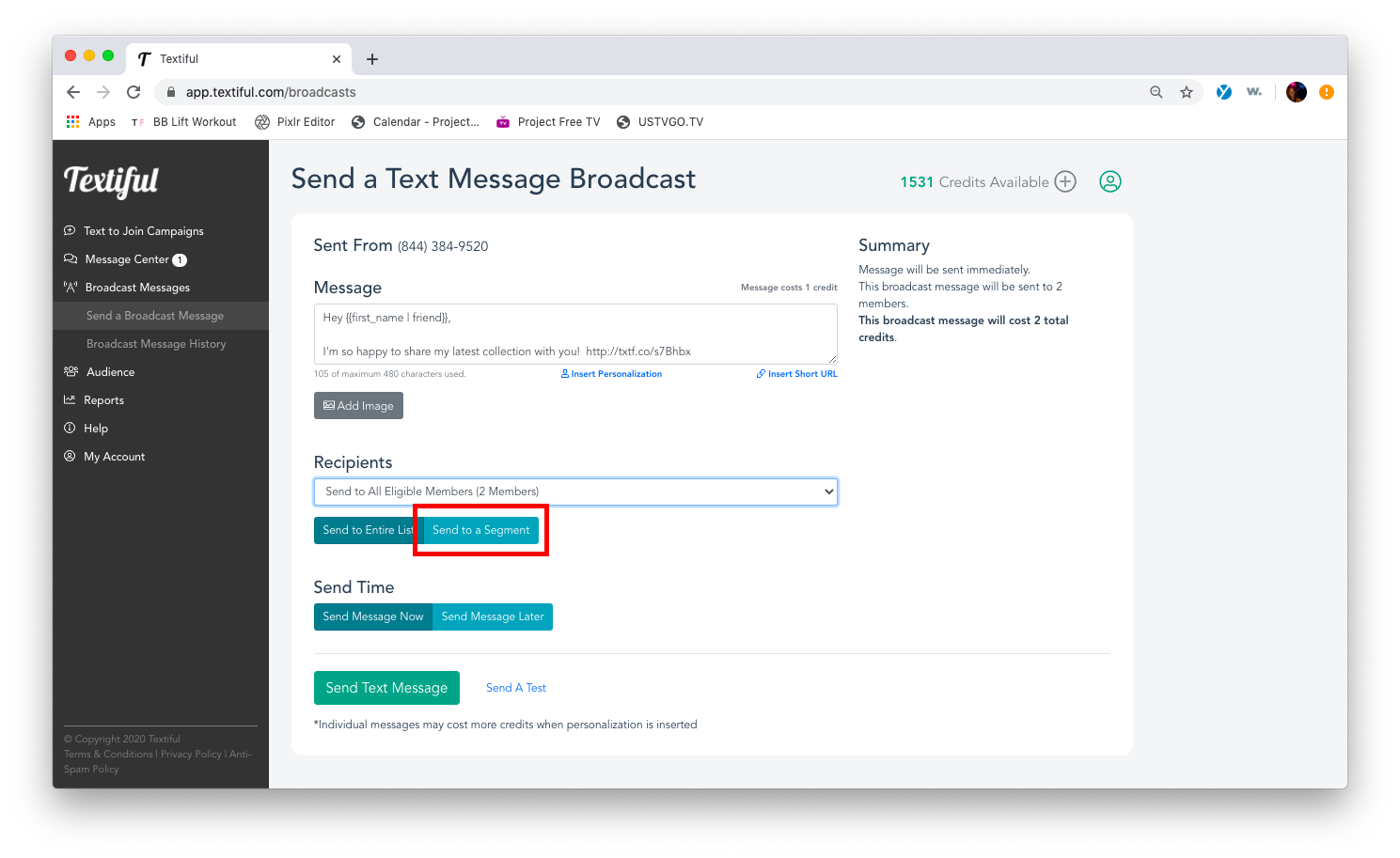
Click Send to a Segment to apply your filters.
-
Click Add Condition and apply the filters of your choice.
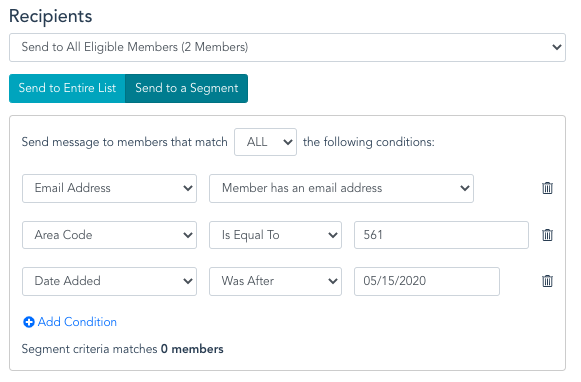
For more detail, see Segmenting your texting list.