This article is for Classic Textiful accounts. On a current account, see the help center.
Creating a text list
Create a text list from the Text Lists tab on the Audience page to save a group of recipients you message often.
If you often send broadcast messages to the same audience members, or you want to group subscribers (by company name, for example), create a text list. A text list is a saved list of recipients you can message repeatedly without selecting them each time.
Create a text list
-
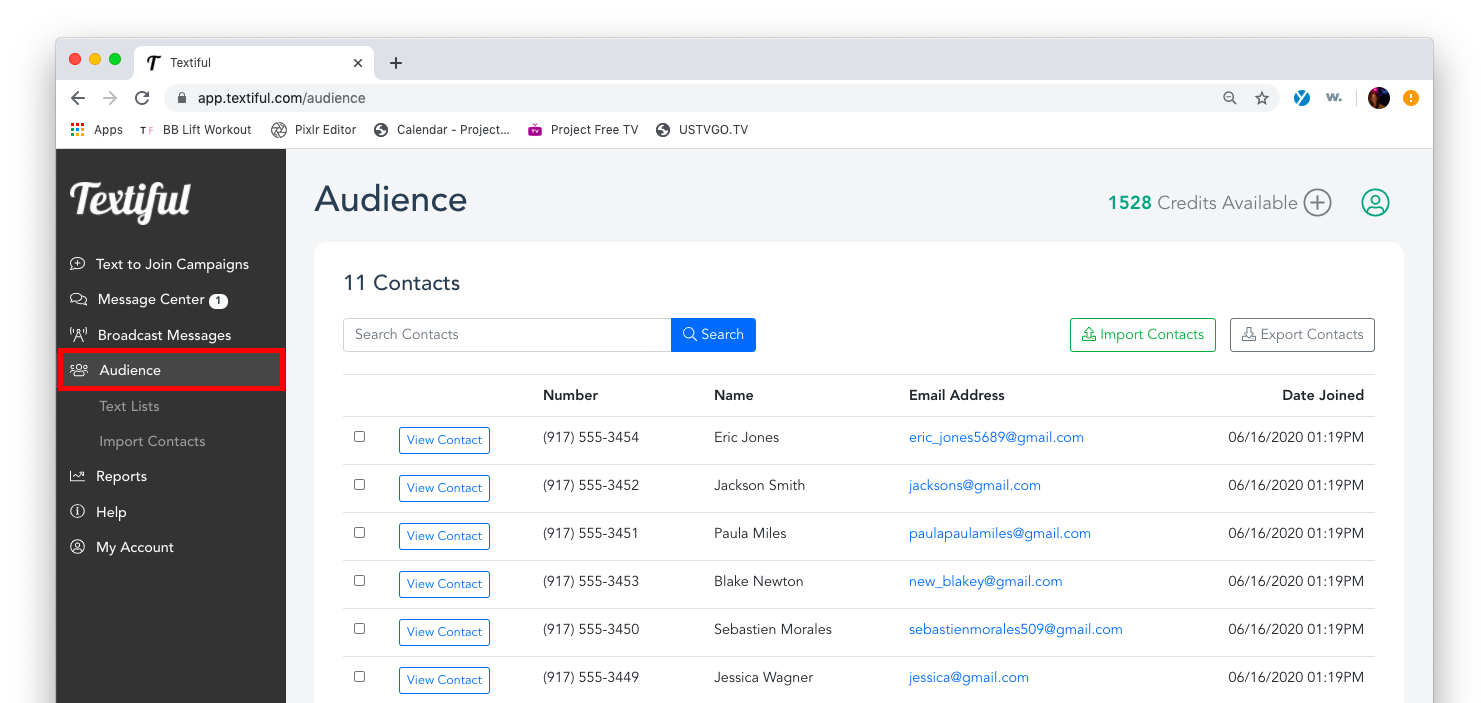
Click Audience in the left menu.
-
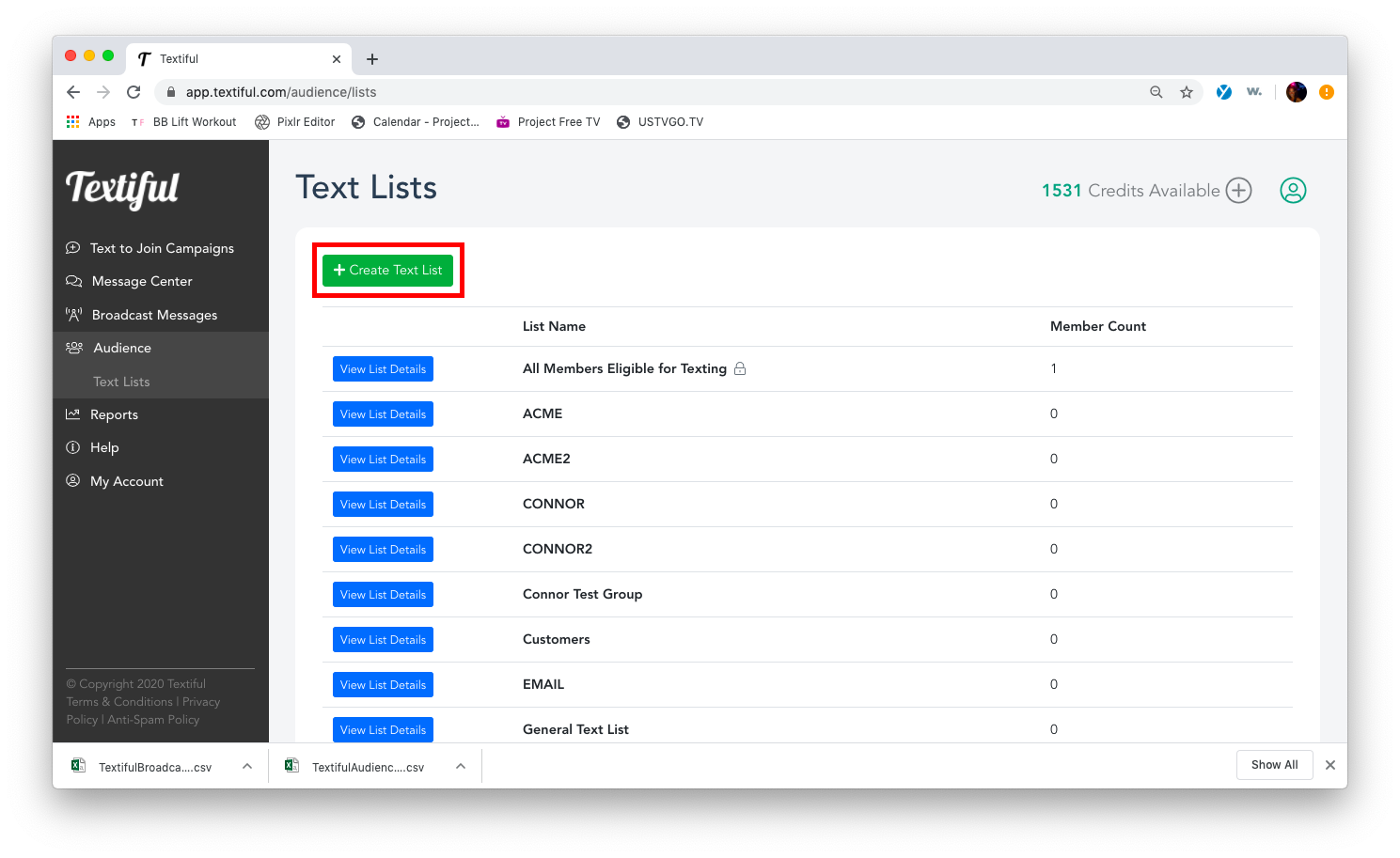
Click the Text Lists tab.
-
Click the Create Text List button.
-
Enter a name for your text list.
-
Click Create Text List.