This article is for Classic Textiful accounts. On a current account, see the help center.
Adding your audience to a broadcast text list
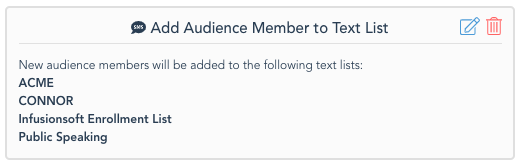
Use the Add to Broadcast Text List action to automatically add people who text your campaign to one or more text lists.
A broadcast text list is a saved list of recipients you can message repeatedly without selecting them each time. With Textiful, you can automatically add the people who text you to one or more of your existing text lists, or create a new one.
Add your audience to a broadcast text list
-
In the campaign editor, click Add Actions & Integrations and select Add to Broadcast Text List. Then either:
- Select the text list(s) you want to add your audience members to, or
- Click Create a new text list.
-
Click Update & Save. A summary of the action is added to your campaign.