This article is for Classic Textiful accounts. On a current account, see the help center.
Scheduling your broadcast message
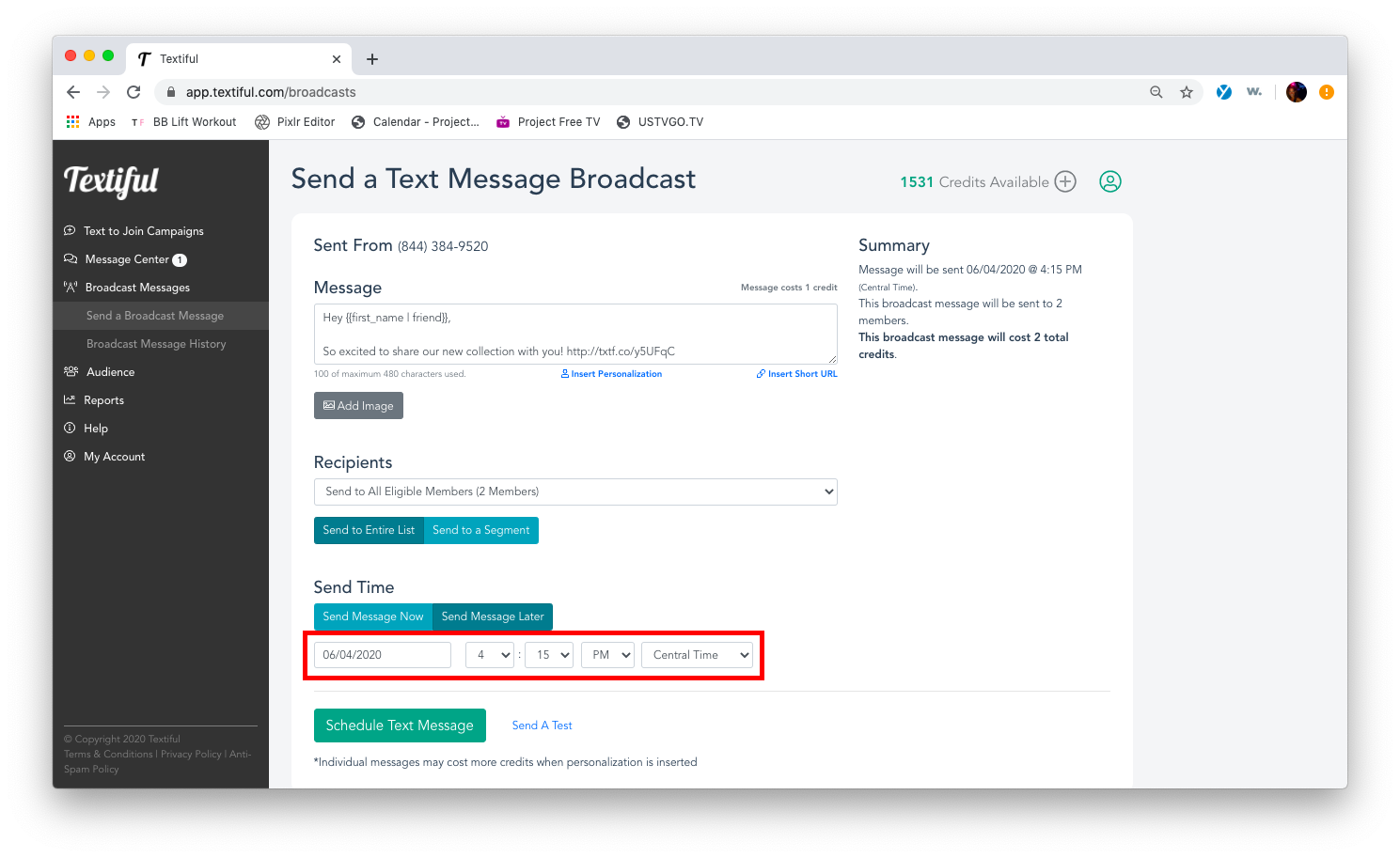
Click Send Message Later on a broadcast message and pick the day, time, and time zone to schedule it.
When you create a broadcast message, you can send it immediately or schedule it for later. New podcast episode dropping soon? Want to remind people when speakers go live at your event? Need to send timely sale reminders? Schedule the message ahead of time.
Schedule a broadcast message
-
Click Broadcast Message in the left menu.
-
Click the Send a Broadcast Message tab below Broadcast Message.
-
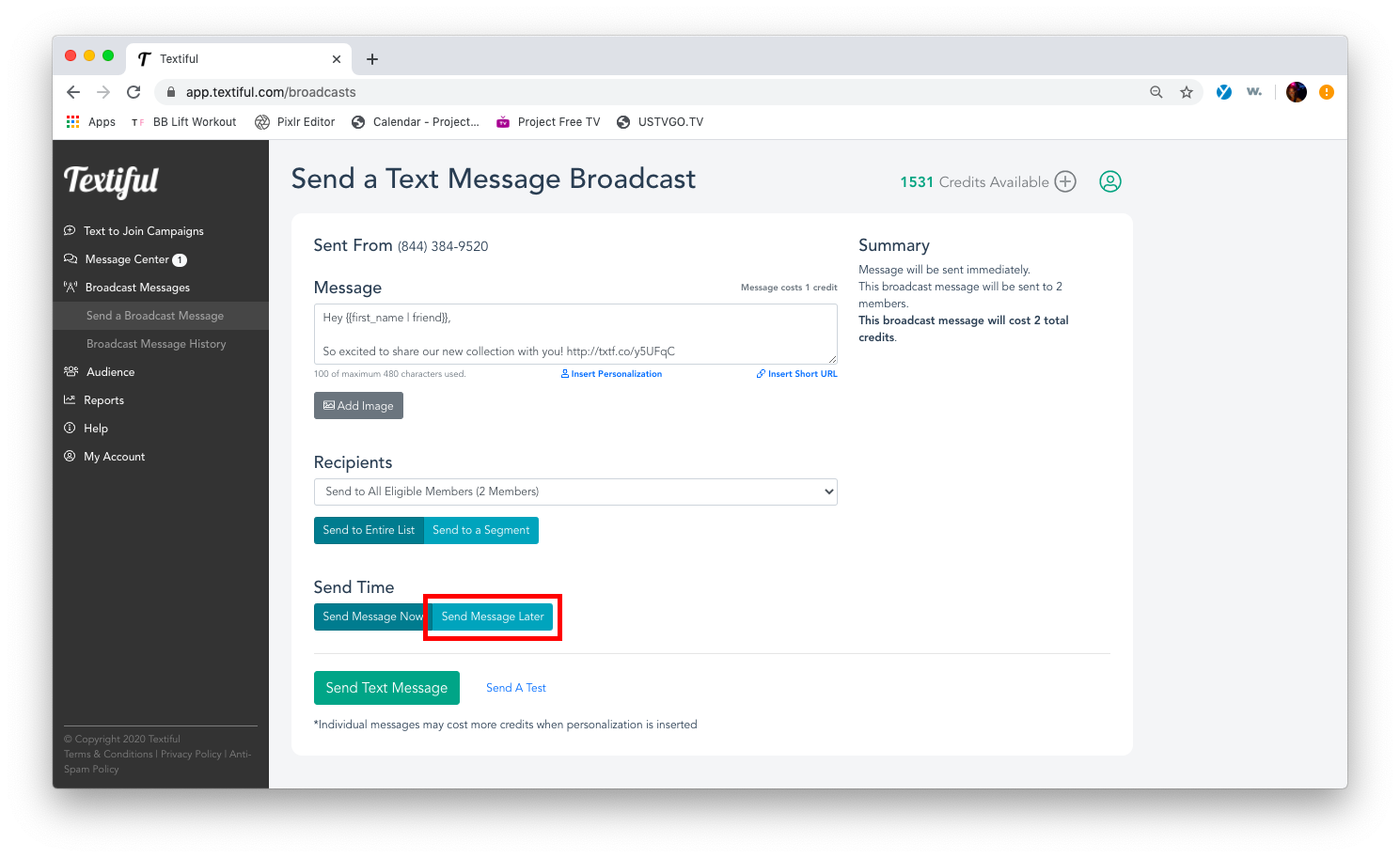
Create your broadcast message and click Send Message Later.
-
Select the day, time, and time zone.
You can see scheduled and sent broadcasts on your broadcast history page.