What is Textiful?

Textiful turns your audience into your email list. People scan a QR code or text a keyword, answer a question or two, and their details land in your list.

It’s built for the moments when your audience is listening, not clicking: a talk, a podcast, the radio, a webinar, a booth. This page answers the questions people ask about Textiful: what it is, how it works, what it connects to, how it compares, what it costs, and what to expect.

Start free trial

Try it on your phone now

Text DEMO to 55444

You’ll go through a real capture flow.

US mobile numbers. Msg and data rates may apply.

What Textiful is

The short version, for anyone meeting Textiful for the first time.

What is Textiful?

Textiful is a lead capture system for audiences who are listening, not clicking. People at a talk, on a podcast or the radio, at a webinar, or walking past a trade show booth scan a QR code or text a keyword to the five-digit short code 33777 or 55444. Textiful replies by text, asks them a question or two (usually their email, sometimes their name, company, or a question of your own), delivers what you promised, and sends their details to your email tool or CRM. It uses text messaging to start the conversation, and your email list is where the relationship continues.

Who is Textiful for?

Textiful is built first for experts and organizations who speak to sell, and who follow up with new contacts in a CRM or an email automation:

  • Consultants and trainers who speak at conferences and run client workshops
  • Coaches who use talks and workshops to find clients
  • Public speakers and authors who want the audience on their list
  • Podcasters and radio shows whose list sells something: ads, sponsors, or events
  • Webinar hosts
  • Companies whose staff present at conferences or work a trade show booth

Churches, schools, musicians and bands, and nonprofits use it too. What they all share is a call to action that gets said out loud or printed on a sign or a slide, where nobody can click a link.

How each kind of customer uses Textiful

Who is Textiful not a fit for?

Textiful works with US mobile numbers only, because the short codes 33777 and 55444 are US short codes. If most of your audience is in Canada or anywhere outside the US, Textiful isn’t the tool. It also adds little when your audience is already clicking: a website visitor or an email reader can use a link or a web form. Textiful is for the moments when they can’t.

What does the audience have to do?

Nothing they don’t already know how to do. From the audience’s side:

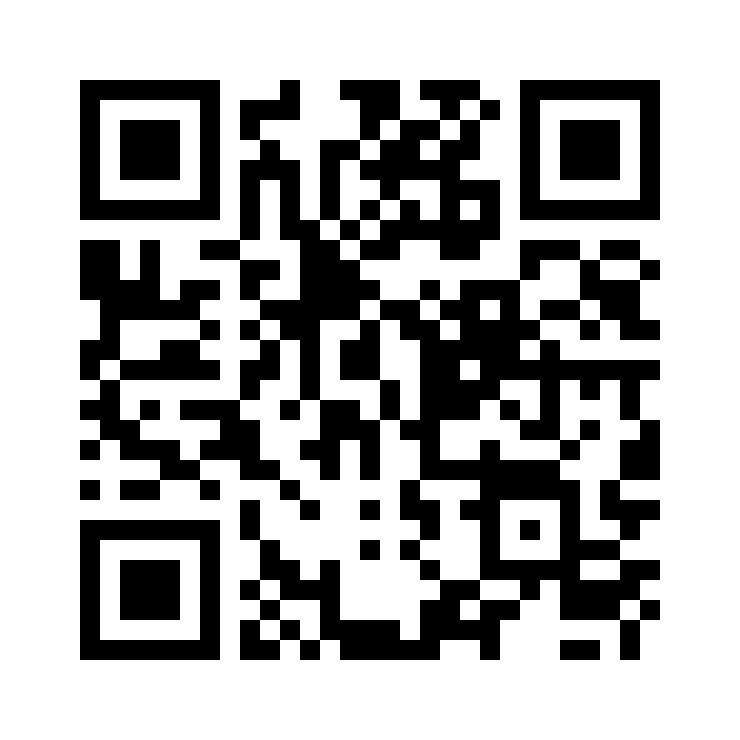
  • They scan the QR code, and their phone opens its texting app with a message already filled in and addressed to a Textiful short code. They tap send.
  • Or they open a new text, type the short code (33777 or 55444) as the number and your keyword as the message, and send it. Capitals don’t matter.
  • Textiful replies right away with your first question, such as “What’s your email?”
  • They answer each question by replying to the text. Each text asks one thing.
  • When they finish, they get what you promised (your slides, a guide, a link) by text or email.

There’s no app to download, no account to create, and no form to fill in.

How text-to-join works

What happens after someone signs up?

Textiful hands the contact to you. Their email, name, and answers go to your email tool or CRM (Kit, HubSpot, Mailchimp, MailerLite, ActiveCampaign, Zoho CRM, Keap, and Constant Contact are built in), and you can get a notification email for each new contact. From there the relationship is yours: your welcome email, your sequence, your discovery call. Textiful’s job is to start the conversation and hand off the contact.

How widely is Textiful used?

More than 17,000 accounts have been created on Textiful, and it has handled up to 40,000 flow starts in a single month (Textiful’s own figures, November 2026).
How it works

What you set up, what your audience sees, and where the details go.

What is a capture flow?

A capture flow is the short text conversation that starts when someone texts your keyword or scans your QR code. It has three parts: the trigger (a keyword or a QR code), the questions, and the actions that run when someone finishes. A flow can ask for any of these, one question at a time:

  • Email address
  • First name, last name, or full name (a full name is split into first and last)
  • Company
  • Zip code, city, state, or location (a zip fills in city and state)
  • Custom data: any question you write, with a label you choose
  • A live poll vote or a word cloud answer
  • A session rating and comment
  • A giveaway entry

Answers are checked as they arrive. An email with a typo such as gmail.con is corrected to gmail.com, and an answer that doesn’t look right gets a retry.

More on capture flows

How many questions should a flow ask?

One to three. Ask for what you need now and collect the rest later in your email tool. Across Textiful flows over 90 days in 2026 (about 33,500 flow starts), 89.5% of people finished a one-question flow, 83.1% finished a two-question flow, and 85.0% finished a three-question flow. Four-question flows were finished 66.0% of the time, though that sample was small (247 starts).

How many questions to ask

What can a flow do when someone finishes?

You choose the actions. A flow can do any combination of these:

  • Text a reply, such as a thank-you or a link
  • Send a handout (slides, a PDF, a recording) by text or email
  • Send an email
  • Email you a notification, to as many addresses as you like
  • Tag the contact
  • Add the contact to Kit, HubSpot, Mailchimp, MailerLite, ActiveCampaign, Zoho CRM, Keap, or Constant Contact
  • Send the contact to Zapier or a webhook

What templates are there?

New flows can start from a template and be edited from there:

  • Grow my email list
  • Quick email signup
  • Send my slide deck
  • Give away a download
  • Poll the audience
  • Collect session feedback
  • Run a giveaway
  • Send an offer or info

What happens if someone stops replying partway through?

You can turn on optional reminders that nudge people who stop mid-flow. A flow closes after 24 hours without a reply, or after three replies in a row it can’t read. Whatever they answered before they stopped is saved on their contact.

How long does setup take?

There’s no phone number to register and nothing to approve, so a keyword or QR code works the day you set it up. Pick a keyword on 33777 or 55444, load a template such as “Send my slide deck,” text the keyword from your own phone to test it, and put the keyword and QR code on your last slide. Allow an hour. If the room is bigger than your trial covers, start your plan before the talk.

Setting up the day before a talk

Can I reuse a flow for another event?

Yes. Copy an existing flow or start again from a template, then connect it to a new keyword or QR code. Each flow has one trigger, so each event, session, or banner reports separately.

What reports and data do I get?

Each contact has a page with the whole conversation as a timeline. The dashboard shows text-ins, audience growth, and top keywords. The keyword activity report shows totals by date range, the overlap between two keywords, and tag counts, each linking to a filtered list of contacts. Every contact, answer, and rating can be exported as a CSV.

Keywords and QR codes

The two ways people start a conversation, and when to use each.

Should I use a keyword or a QR code?

Use both whenever people can see a screen or a sign. A QR code is the fastest path for anyone close enough to scan it, and a keyword works from the back row and when it’s said out loud. If you can only pick one, use a keyword for anything spoken (a podcast, the radio, an announcement, a talk without slides) and a QR code for printed signs people walk up to. One keyword is included on every plan; more are $10/month each. QR codes are free and unlimited.

QR code or keyword?

What is a short code?

A short code is a five-digit phone number for text messages. Textiful’s short codes are 33777 and 55444, and every account can use either. They are US short codes, so they work with US mobile numbers only. A short code only sends texts in reply to someone who texted it first.

What is a short code?

What is a keyword?

A keyword is the word your audience texts to 33777 or 55444, such as SLIDES or DEMO. It’s yours alone on that short code, like a domain name: nobody else on Textiful can use it there. If the word you want is taken on one short code, it may be free on the other. Capitals don’t matter, so DEMO, demo, and Demo all work.

More on keywords

What makes a good keyword?

Short, easy to spell, and tied to what you’re offering: SLIDES, NOTES, GUIDE, MERCH. Avoid words that autocorrect likes to change. Some words can’t be used: reserved words such as YES, WIN, FREE, VOTE, and TEXT, single letters, words made only of numbers, and brand names that could be used in a scam.

Choose a good keyword

What happens when someone scans a Textiful QR code?

Their phone opens its texting app with your pre-filled message addressed to a Textiful short code. They tap send, and your capture flow replies right away. A QR code starts its flow on its own, so it doesn’t use a keyword. You can download each code as a PNG or SVG for slides, signs, books, and banners.

More on QR codes

Can I tell which QR code or keyword someone used?

Yes. Every QR code has its own scan count (with bots filtered out), and every keyword and QR code starts a specific flow, so you can compare banners, sessions, episodes, or locations. The same flow can be copied to run from both a QR code and a keyword.

Features

Everything here is included on every plan, and every one of them runs inside a capture flow.

How do live polls work?

You add a poll question to a capture flow and share its keyword or QR code. People text in, get the question by text, and vote by replying with a letter, the answer, or something close to it (one-letter typos are forgiven). Results show on a public results page that updates in real time, which you can project or screen-share. It shows counts and percentages only, never names or phone numbers. Because a poll is a step in a flow, you can ask for a vote and an email in the same conversation.

More on live polls

How do word clouds work?

A word cloud asks an open question, and people reply in their own words. The answers appear on a live screen as a word cloud. Words on the built-in profanity list are hidden automatically, and you can click any other word to hide it. A live poll gives people choices to vote on; a word cloud shows what they said.

More on word clouds

How does session feedback work?

Attendees text your keyword or scan your QR code, rate the session from 1 to 5 or 1 to 10, and add an optional comment. One keyword can cover a whole event: each text goes to the session whose start and end time it falls between. Each person gives one response per session, and each session gets its own report. Put a handout step after the rating, and the slides arrive the moment someone finishes.

More on session feedback

How do giveaways work?

People text your keyword or scan your QR code, answer any questions you ask first (such as their email), and are entered. Each phone number gets one entry. Winners are drawn at random on a live page, with every entry given the same chance, and nobody wins twice. The live page shows a winner’s first name, the last four digits of their phone number, or just that a winner was selected, whichever you choose.

More on giveaways

How do handouts work?

Upload a file once (slides, a PDF, a recording, an image) and use it in any flow. When someone finishes the flow, they get a download link by text or email. Files can be up to 1 GB (100 MB for an account’s first 7 days). Handout emails come from your name, replies are forwarded to you, and every email includes an unsubscribe link. You can also send a link to something you host yourself.

More on handouts

Getting people to text in

What you offer and what you say matter more than anything you set up.

What should I offer people for texting in?

Something the audience wants right now and can only get by texting in:

  • Your slides, your notes, or your five takeaways
  • A recording of the session
  • A checklist, worksheet, or guide
  • A free consultation or a discount
  • A giveaway entry
  • A vote in a live poll

Name it in the ask (“Text DEMO to 55444 to get today’s deck”) and deliver it the moment they finish. How many people respond depends most on what you offer, so a specific, useful thing beats “join my list.”

Offers that work

What should a speaker say from the stage?

Mention it twice. At the start of the talk, tell the audience they’ll get a way to receive the slides at the end, so they don’t need to photograph every slide or take notes, and can pay attention instead. At the end, swap passive asks (“email me,” “visit my website,” “find me on Instagram”) for a concrete instruction: “Take out your phone. Scan this QR code, or text DEMO to 55444, and I’ll send you today’s slides.” The audience gets the deck without effort, and the speaker gets an email address that lands in their email tool for their own welcome sequence.

The stage ask: what to say so the room texts in

Why put both a QR code and a keyword on the last slide?

In a small room, almost everyone can scan the code from their seat. In a big room, people at the back can’t get close enough to scan it, so a short keyword is what works for them. Walk the room through it: “If you can scan the code, great. If not, take out your phone. Open a new text, type 55444 as the number, type SLIDES as the message, and send it.” The slide shows both options.

The stage ask, word for word

The fastest way to understand it is to try it.

Text DEMO to 55444 from your phone. You’ll answer a couple of questions the same way your audience would, and see what lands at the other end.

Start free trial

Where the contacts go

Textiful hands each contact to the tools you already use for follow-up.

Which tools does Textiful connect to?

Kit, HubSpot, Mailchimp, MailerLite, ActiveCampaign, Zoho CRM, Keap, and Constant Contact are built in, along with Zapier and webhooks. 35 more tools connect through Zapier, including Salesforce and Google Sheets. Every plan includes every integration, and you can always export a CSV.

All integrations

What does each built-in integration do?

Each one is a step you add to a flow:

  • Kit: adds the subscriber to your Kit account, with tags, and can add them to a sequence
  • HubSpot: creates or updates the contact by email, maps answers to properties, adds them to static segments, and enrolls them in workflows (HubSpot Professional and above)
  • Mailchimp: adds the contact to your Mailchimp audience, with tags and your answers in merge fields
  • ActiveCampaign: adds the contact to a list, applies tags (creating new ones by name), and can start automations, with your answers mapped to fields
  • Constant Contact: adds the contact to your lists, with tags and fields, and respects Confirmed Opt-in
  • MailerLite: adds the subscriber to groups and can start automations
  • Zoho CRM: adds a Lead or Contact with your answers in mapped fields, a Lead Source, and tags, and can enroll them in a Cadence
  • Keap: adds the contact with custom fields and tags, and can start a sequence
  • Zapier: a New Contact trigger that connects to thousands of other apps
  • Webhooks: sends each new contact to your own URL as JSON

Do I need Zapier for Kit, HubSpot, Mailchimp, MailerLite, ActiveCampaign, Zoho CRM, Keap, or Constant Contact?

No. Kit, HubSpot, Mailchimp, MailerLite, ActiveCampaign, Zoho CRM, Keap, and Constant Contact are built in. Connect your account once, then add the step to any flow. Zapier is for every other tool.

Textiful and Zapier

If someone texts STOP, are they removed from my email list?

No. STOP ends their conversation with Textiful and stops any texts still waiting to go to them. It isn’t passed on to your email tool or CRM, so it doesn’t unsubscribe them from your email list. That’s handled by your email tool’s own unsubscribe link.

What happens when someone texts STOP?

Who uses it, and how

The same system, used differently by each kind of customer.

How do different industries use Textiful?

A few common patterns:

  • Public speakers: The audience texts in for your slides and rates the talk before they leave, so you and the organizer get a report for every session.
  • Consultants and trainers: Conference talks and client workshops bring in leads with a name, a company, and a role, straight to your CRM.
  • Coaches: Every talk and workshop becomes a way to find clients. People text in for the worksheet, and you invite them to a call.
  • Podcasts and radio: Run live polls on the air and grow your list from the show. Listeners text one word from the car.
  • Webinars: Put one line on the slide. Attendees text in for the recording or the playbook, which gets delivered automatically.
  • Conferences and events: Run captures across booths, sessions, and the main stage. Each keyword and QR code reports on its own.
  • Trade show booths: Visitors scan the code on your booth sign, answer two questions, and you get an email for each one.
  • Authors: Readers text in for a free chapter at the reading or the signing table, and join your launch list.
  • Schools and campus events: Students and families scan a QR code and get added to the right list.
  • Churches and ministries: Guests scan the bulletin to fill in a connection card, then get the sermon notes or reading plan by text.
  • Musicians and bands: Fans text in for the new track, tour dates, or a merch discount, and join your list on the way.
  • Nonprofits: Galas, rallies, and community events grow your supporter list, with a poll or giveaway to bring the room in.

All industries

Can I use Textiful on a podcast, the radio, or a webinar?

Yes, because a keyword works out loud. Listeners can’t click a link, but they can remember one word and a five-digit number and text it from the car or the kitchen. On a webinar, put the keyword and QR code on the slide, and attendees text in for the recording or the playbook.

Textiful for podcasts and radio

Can I use Textiful at a trade show booth?

Yes. Put a QR code and a keyword on your booth sign or screen. Visitors scan, answer two questions (say, their email and company), and you get each one as a contact, even when your team is busy talking to someone else.

Textiful for trade show booths

How Textiful compares

Textiful usually replaces something you already do. Here’s how it compares with each.

How is it different from saying “go to my website”?

A URL is hard to remember, and the form waits until later, so most listeners never get there. A keyword is acted on in the moment. A real estate podcaster with about 1,200 downloads an episode went from about 2 sign-ups a week to 10–15 after swapping “go to my site” for one keyword said on the show.

Growing a podcast list with a keyword

How is it different from a paper sign-up sheet?

A paper sheet collects half-legible emails that someone types in days later, and every bad entry is a person you can’t reach. Textiful checks each answer as it arrives, fixes common email typos, and puts the contact straight into your list.

Replacing paper sign-up sheets

How is it different from a QR code that opens a web form?

A web form needs a page to load and a lot of typing on a small screen, often on poor event Wi-Fi. A text conversation asks one question at a time in the texting app people already use, and a keyword also works when it’s said out loud. A web form is fine when people have a screen, a few minutes, and a reason to fill in a lot of fields.

QR code to a form or text-to-join?

How is it different from a badge scanner at a booth?

A badge scanner captures one person at a time, and only the people who walk up and talk to your team. A QR code or keyword on your banner or booth screen lets anyone sign up while your team is busy, and it asks the questions you choose. Many booths use both.

Where badge scanning falls short

How is it different from Slido, Mentimeter, or Poll Everywhere?

Audience engagement tools run the room: questions, polls, and reactions during the session. Textiful runs live polls and word clouds too, but its job is keeping the audience afterward, with every person who takes part landing in your email list or CRM.

Textiful vs Slido

How is it different from Join By Text?

Both are text-to-join tools that run on five-digit short codes. The comparison page covers how they differ.

Textiful vs Join By Text

What people get from it

Real results from Textiful customers, described by the kind of customer.

How many people will text in?

It depends most on what you offer. A business coach offered ten free consultations to a room of about 400: more than 100 people texted in, 75 booked calls, and over 20 became clients. A booth at a 200-person conference put up “text RSVP” with nothing to get in return, and 6 people texted.

How many people will text in?

What results do podcasts and radio shows get?

A podcaster offered a book club guide by text in a single episode, and about 580 listeners asked for it. A talk-radio host mentioned a keyword in a rerun and got 30 sign-ups in five minutes. A real estate podcaster went from about 2 sign-ups a week to 10–15 by saying a keyword instead of a website address.

Textiful for podcasts and radio

What results do speakers get?

A financial planning educator offered the slides by text and captured 300 emails from a single conference. About 60% of the people who texted in also chose to join the email list.

Textiful for public speakers

Pricing and getting started

What it costs, the trial, and the limits worth knowing before you sign up.

How much does Textiful cost?

Plans start at $19/month, and every plan includes every feature. Plans differ only by how many leads/conversations they cover each month:

  • Starter: $19/month for up to 100 leads/conversations per month
  • Plus: $34/month for up to 300 leads/conversations per month
  • Growth: $49/month for up to 500 leads/conversations per month
  • Scale: $89/month for up to 1,000 leads/conversations per month
  • Pro: $149/month for up to 2,000 leads/conversations per month
  • Custom: above 2,000 a month, sized to your program

One keyword is included on every plan; more are $10/month each. QR codes are free and unlimited. Pay monthly and cancel anytime, or pay yearly and get two months free.

See pricing

What counts as a conversation?

A conversation starts each time someone texts your keyword or scans your QR code. However many questions you ask and however many replies they send, it counts once. If they come back later and start again, that’s a new conversation. STOP and HELP texts never count.

What if more people text in than my plan covers?

Need more? Additional conversations are $15 per 100 on any plan, added automatically so you’re never cut off mid-event.

How does yearly billing work?

Pay yearly and get two months free. You get the whole year’s conversations up front and use them whenever your events happen, until your plan renews.

Is there a free trial?

Yes. Try Textiful free for 14 days, with every feature. You’ll need a card to start the trial.

Does Textiful work outside the US?

No. The short codes 33777 and 55444 work with US mobile numbers only. They don’t work in Canada or anywhere else. QR codes have the same reach, because they open a text to those short codes. If most of your audience is outside the US, Textiful isn’t the tool.

Does text-to-join work in Canada?

Is it opt-in? How are STOP and HELP handled?

People start the conversation themselves by texting your keyword or scanning your code, so it’s opt-in by design, and a short code only replies to someone who texted it. STOP and HELP are handled automatically on every keyword and QR code. STOP (and variants such as END, QUIT, CANCEL, and UNSUBSCRIBE) ends that person’s conversations and stops any texts still waiting to go to them. HELP replies with your business name and hello@textiful.com for support. Neither counts as a conversation. For legal questions about your own use, talk to a lawyer.

Is text-to-join legal?

Can my team use the same account?

Yes. Every plan includes team roles (owner, admin, member, and view-only) and invites, so several people can build flows and see the contacts.

Ready for your next talk, episode, or event?

Try Textiful free for 14 days. Set up a keyword and a QR code, test it from your own phone, and put it on your last slide.