Pause a flow without deleting it
Set the flow to Paused in its options, or remove its trigger. Either way the flow, its steps and its contacts stay in your account.
To stop people starting a flow without deleting it, either pause it or remove its trigger. The flow, its steps, its contacts and its reports stay in your account, and you can start it again any time.
- Pause it to stop it for now. The keyword or QR code stays on the flow, and anyone who uses it gets a short reply instead.
- Remove the trigger when you're done with the flow and want to use its keyword elsewhere, or let it go.
On a Classic account, flows are called campaigns: look for Campaigns, Edit campaign options and Add keyword. Everything else works the same.
Pause the flow
-
Open the flow under Data Capture Flows.
-
Click Edit data capture flow options at the top.
-
Under Status, switch Active to Paused.
-
In Auto-response while paused, write the reply people should get, such as "Thanks for your interest! Signups are closed until our next event." Leave it blank to send the default: "This keyword isn't active right now."
-
Click Update & save.
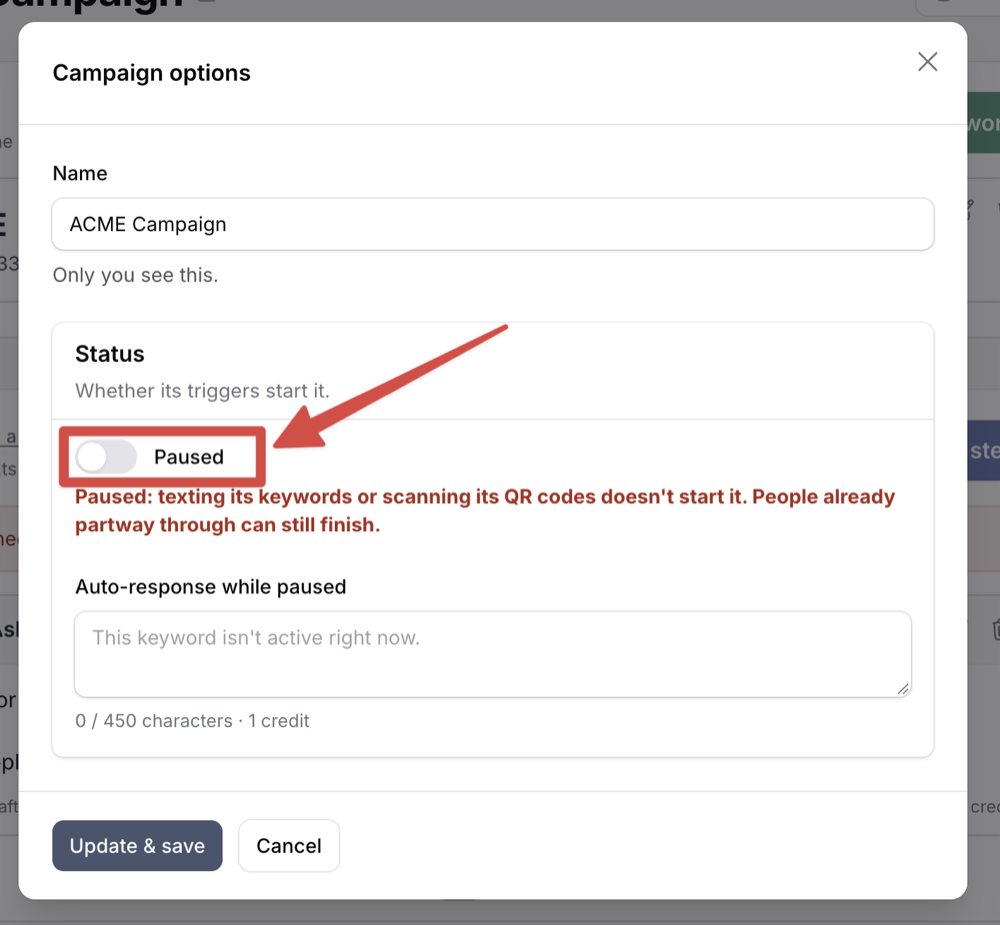
While it's paused, anyone who texts the keyword or scans the QR code gets that reply, and nothing else happens: they aren't added as a contact, and the flow doesn't start. People already partway through can still finish.
A red Paused banner shows under the trigger while it's off. To start it again, click Turn it back on in the banner (or open the options), switch Status back to Active, and click Update & save. Your paused reply is kept for next time.
A paused flow's keyword is still yours and still billed.
Remove the trigger
-
Open the flow under Data Capture Flows.
-
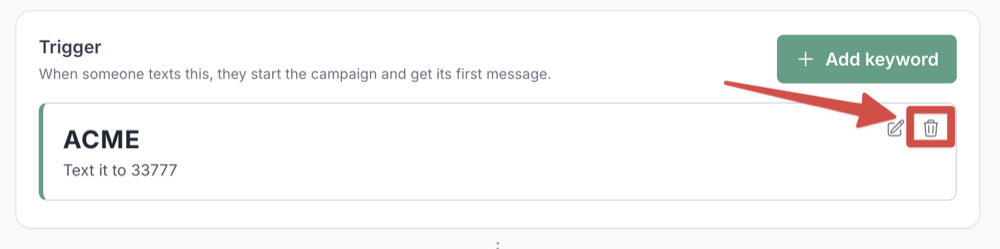
On the trigger card at the top, click the trash icon.
-
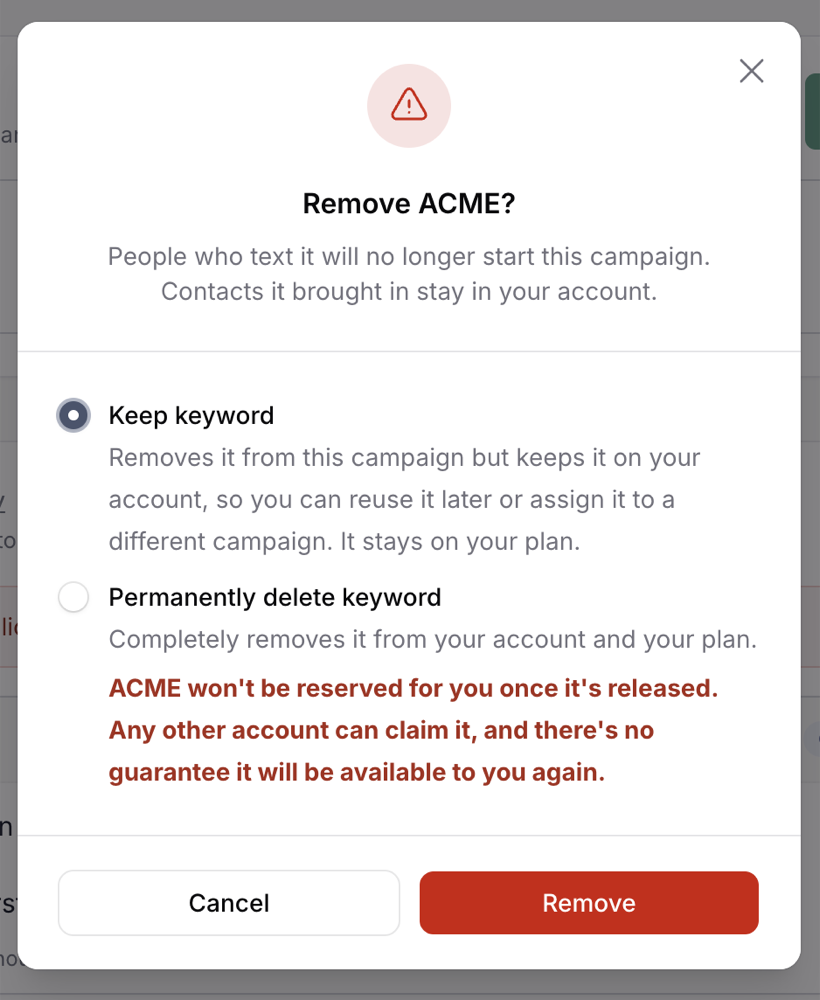
For a keyword, choose what happens to it:
- Keep keyword (the default). It comes off this flow but stays on your account, so you can reuse it later or add it to a different flow. It still counts toward your keywords.
- Permanently delete keyword. It comes off your account, and its charge stops at your next renewal. Once it's released, any other account can claim it, and there's no guarantee you'll get it back.
-
Click Remove.
Repeat for each trigger if the flow has more than one. With no triggers left, nothing can start the flow, but it stays in your list with its steps intact.
Removing a QR code turns it off for good: printed copies stop working. If you might use the same printed code again, pause the flow instead.
Use a kept keyword again
Open the flow you want it on, click Add a trigger, choose Use an unassigned keyword, and pick it from the Unassigned keyword list.
Delete the flow instead
Delete at the top of the flow removes it from your list. Its contacts and reports stay, but its keyword is released, and its charge stops at your next renewal.
See Manage or release a keyword and How keyword billing works.
Frequently asked questions
- What happens to the contacts the flow already collected?
- They stay in your account, whichever option you choose. So do the flow's reports.
- What about someone who's partway through when I pause it?
- They can finish. Pausing the flow or removing its trigger only stops new people starting it.
- Doesn't the auto-response for repeat texters stop the flow?
- No. **Don't restart. Send an auto-response message instead** only applies to people who already finished the flow. Anyone texting in for the first time still starts it. To stop everyone, pause the flow. See [When someone texts in again](/help/capture-flows/repeat-texters).